Create an account
Signing up for finetunes takes two short steps and starts a free trial straight away. When you finish, finetunes has already set up an organisation, a playpoint, and an empty My Soundscape queue for you — so you can go straight to adding music.
This article is for self-serve operators signing up for a single venue. (Enterprise accounts are provisioned by an account manager — see the Enterprise rollout playbook instead.)
By the end you'll know:
- What the two registration steps ask for
- What finetunes creates for you on sign-up
- How to sign up with Apple, Facebook, or Google instead
The two-step sign-up, from Create account through to Get started.
Start sign-up
Go to play.finetunes.app/register and click Create account. This opens the two-step registration form.
You can also Continue with Apple, Facebook, or Google here — jump to Sign up with a social account below.
Step 1 — Contact info
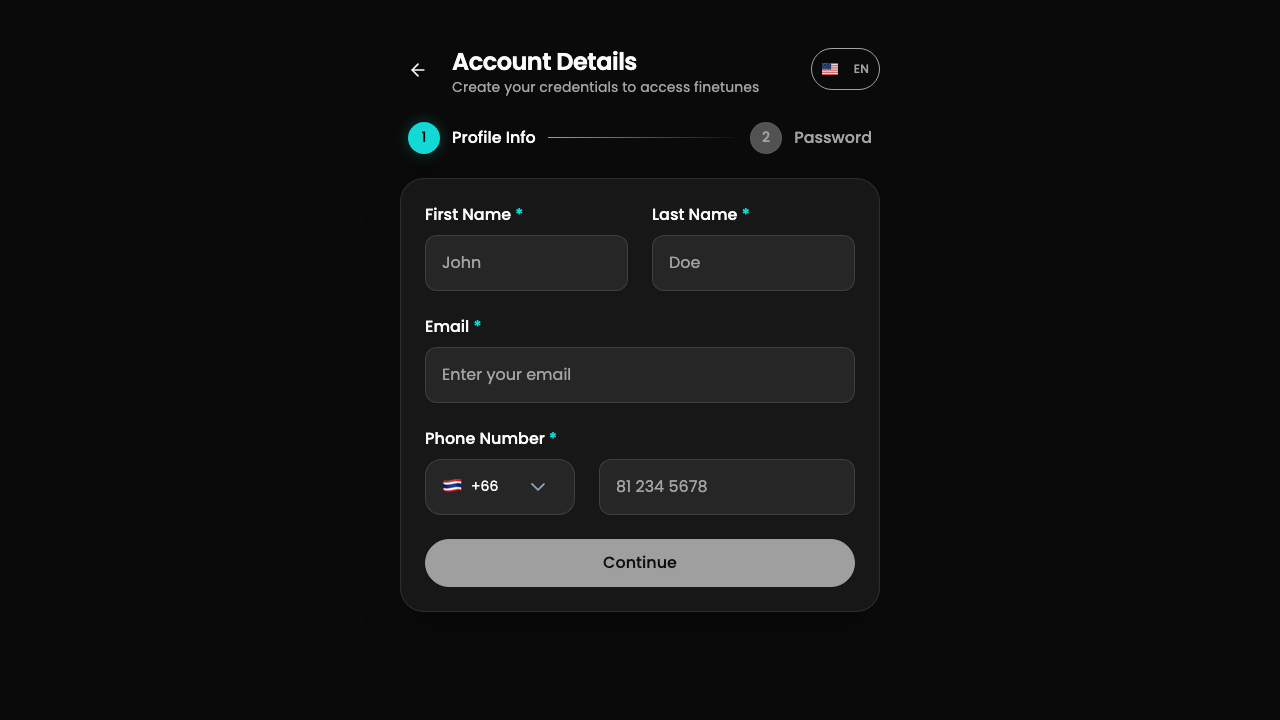 Step 1 collects who you are and how to reach you.
Fill in:
| Field | Notes |
|---|---|
| First name / Last name | Required. |
| This becomes your login. It's checked live — an email that's already registered is blocked here (see below). | |
| Phone | A country-code selector (auto-detected from your location, defaults to +66) plus the number. |
Click Continue. finetunes validates your email and phone, then moves you to Step 2. There's a brief pause on Continue by design — wait for it.
If the email is already in use, you'll see "Email already exists" inline and can't continue. There's no way around this in the form — use a different email, or sign in / reset your password on the existing account instead.
Step 2 — Account setup
Step 2 sets your password and confirms the terms. The video above shows this step in the live form.
Fill in:
- Password (at least 8 characters) and Confirm password — the two must match.
- Agree to the terms — required.
- Marketing updates — optional.
Click Create account. finetunes creates your account, signs you in automatically, and sends a confirmation email.
You're in
On the completion screen, click Get started to land on your Home page.
Behind the scenes, sign-up has already created:
- Your organisation and a default playpoint (the venue the music plays at).
- An empty My Soundscape queue called My Playlists Queue.
- A free trial, so you can play music right away.
Next stop: browse the library and add music →.
Sign up with a social account
Instead of the email form, choose Continue with Apple / Facebook / Google on the sign-up page. finetunes pre-fills your email (read-only), skips the password step, and accepts the terms as part of the social sign-in. You land on the same completion screen and Get started takes you Home.
If you cancel the social sign-in partway, you'll come back to the login page — just start again.
Good to know
- Use a real, unused email. The confirmation email and any password resets go there, and an already-registered email is blocked at Step 1.
- There's no business or payment step during sign-up. You add business details later on your profile, and a subscription later from Pricing. The trial covers you in the meantime.
- Phone country code auto-detects but falls back to +66 if detection is slow or offline — change it if it's wrong.
Next
- Add music to your venue? Browse and search →
- Get playlists matched to your venue? Pick for you →
- Already have an account? Sign in →